This project introduced a more structured and usability-focused approach to managing emergency call workflows, helping teams move from fragmented processes toward clearer, more efficient operations. By simplifying interfaces, aligning design with real operational needs, and establishing scalable patterns, the redesign supports faster decision-making and sets a strong foundation for future improvements.
Results
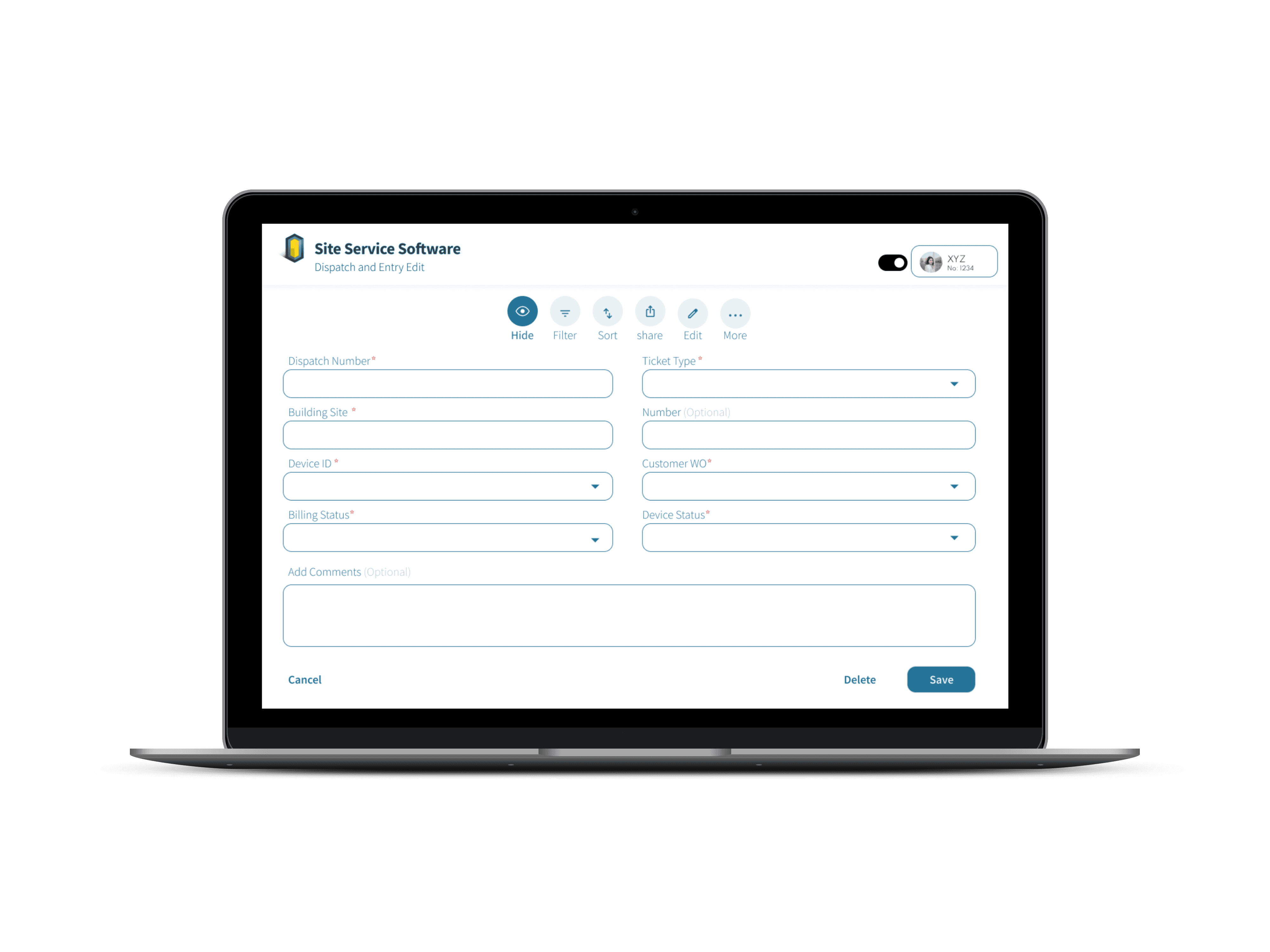
DISPATCH & ENTRY
Designed to support fast and accurate record management, the screen enables teams to create, edit, and track dispatch tickets seamlessly, improving workflow efficiency and operational clarity.
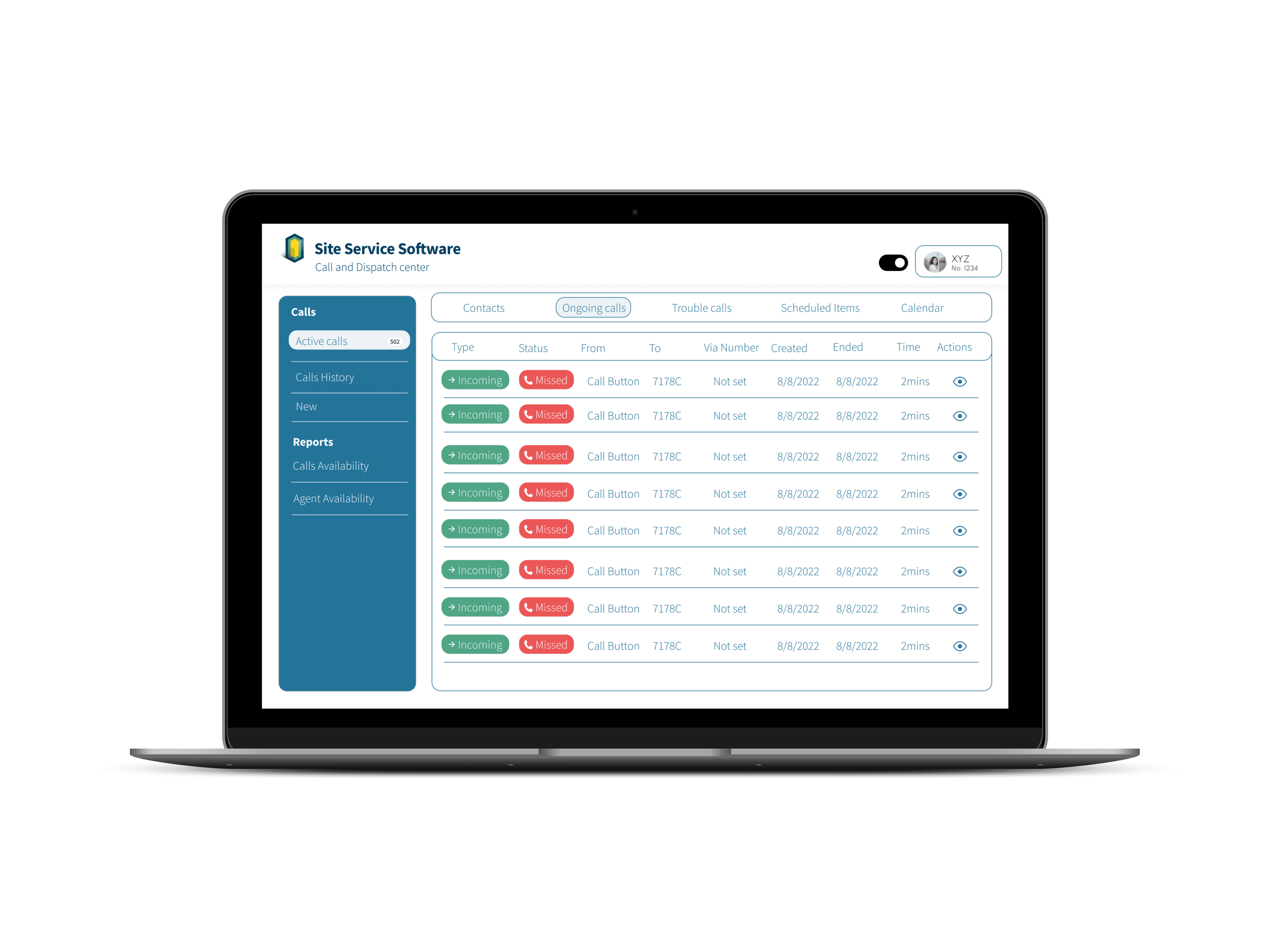
CALLING CENTER
The interface organizes call activity into a clear, scannable table, allowing agents to track call status, timelines, and actions at a glance while reducing cognitive load during busy operations.
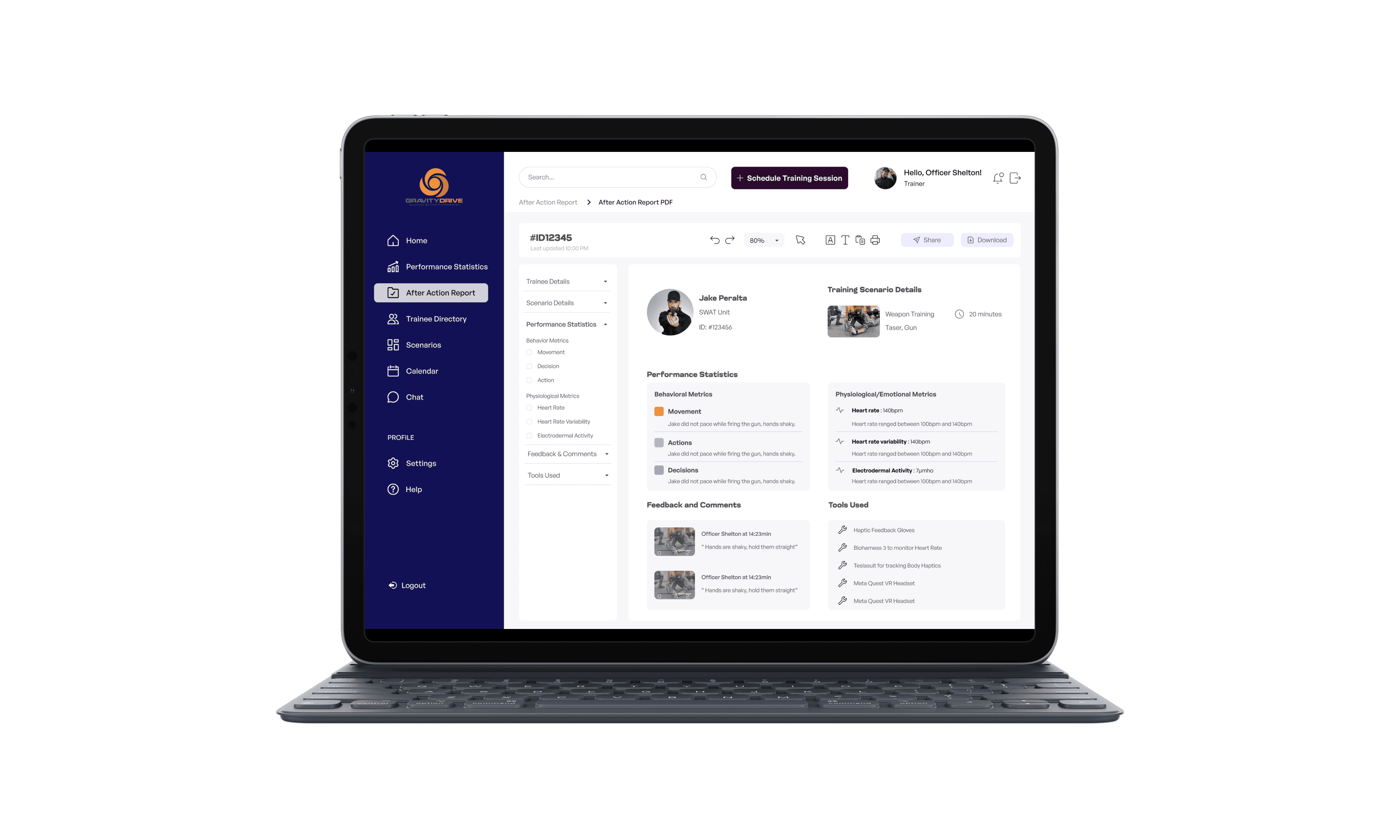
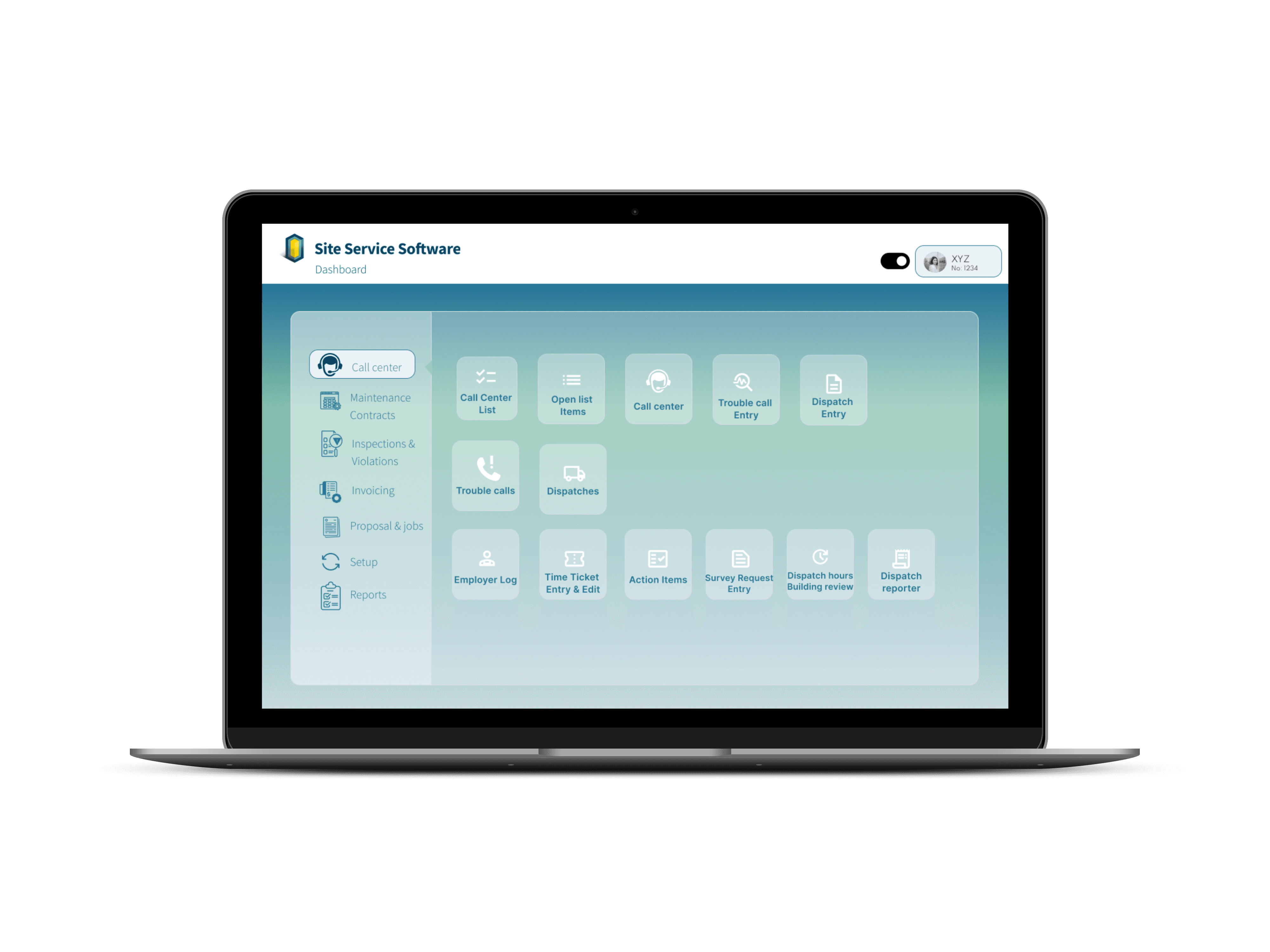
CALL CENTER DASHBOARD (DARK MODE)
The glass-inspired UI introduces depth and subtle layering, improving scanability and reducing visual clutter while maintaining quick access to call center actions and real-time insights.
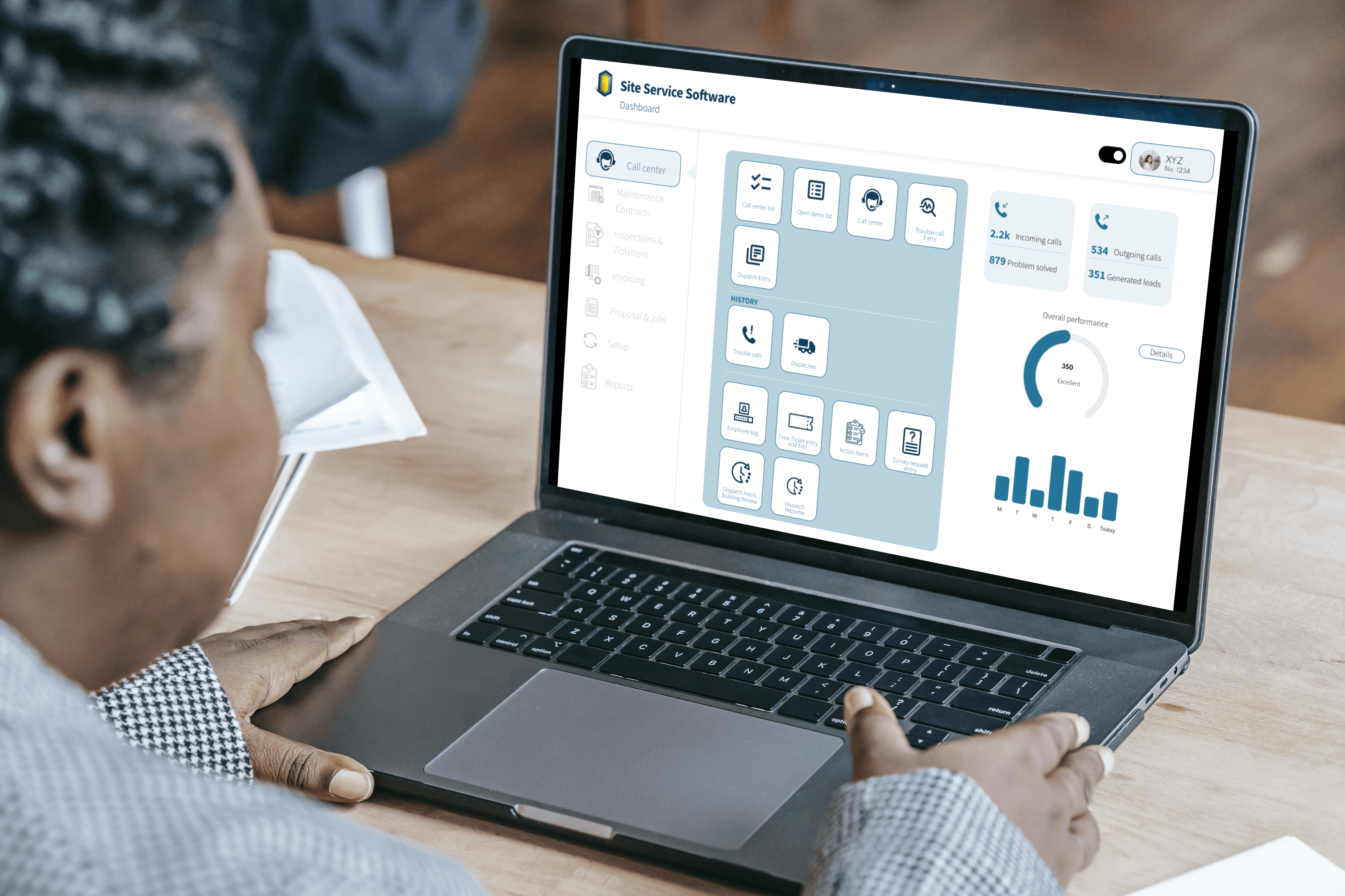
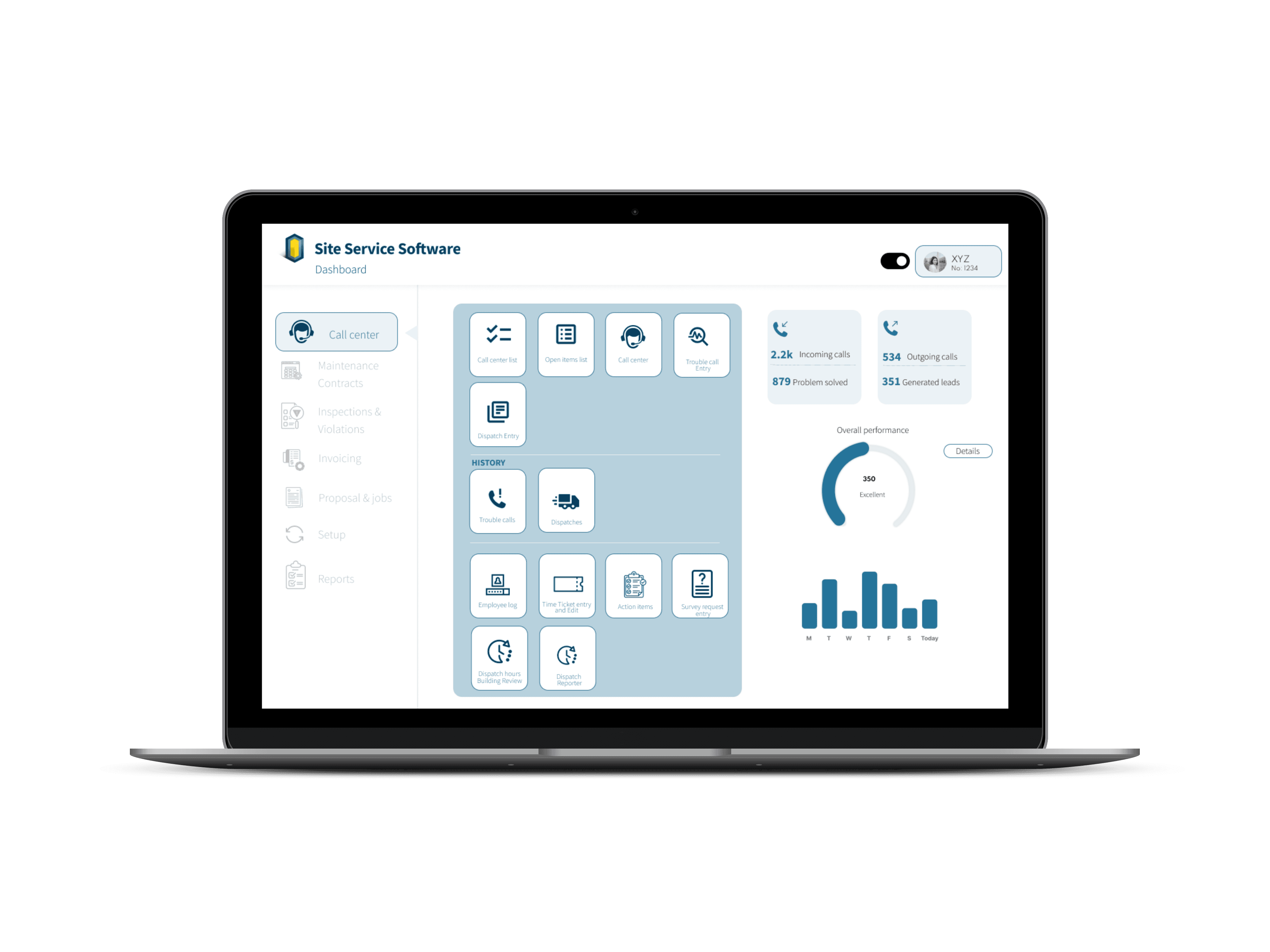
CALL CENTER DASHBOARD (LIGHT MODE)
Clear access to call center functions and live performance insights supports agents in managing requests efficiently while maintaining situational awareness across operations.
Project description
Problem Statement
Process
Layout Design
Solution
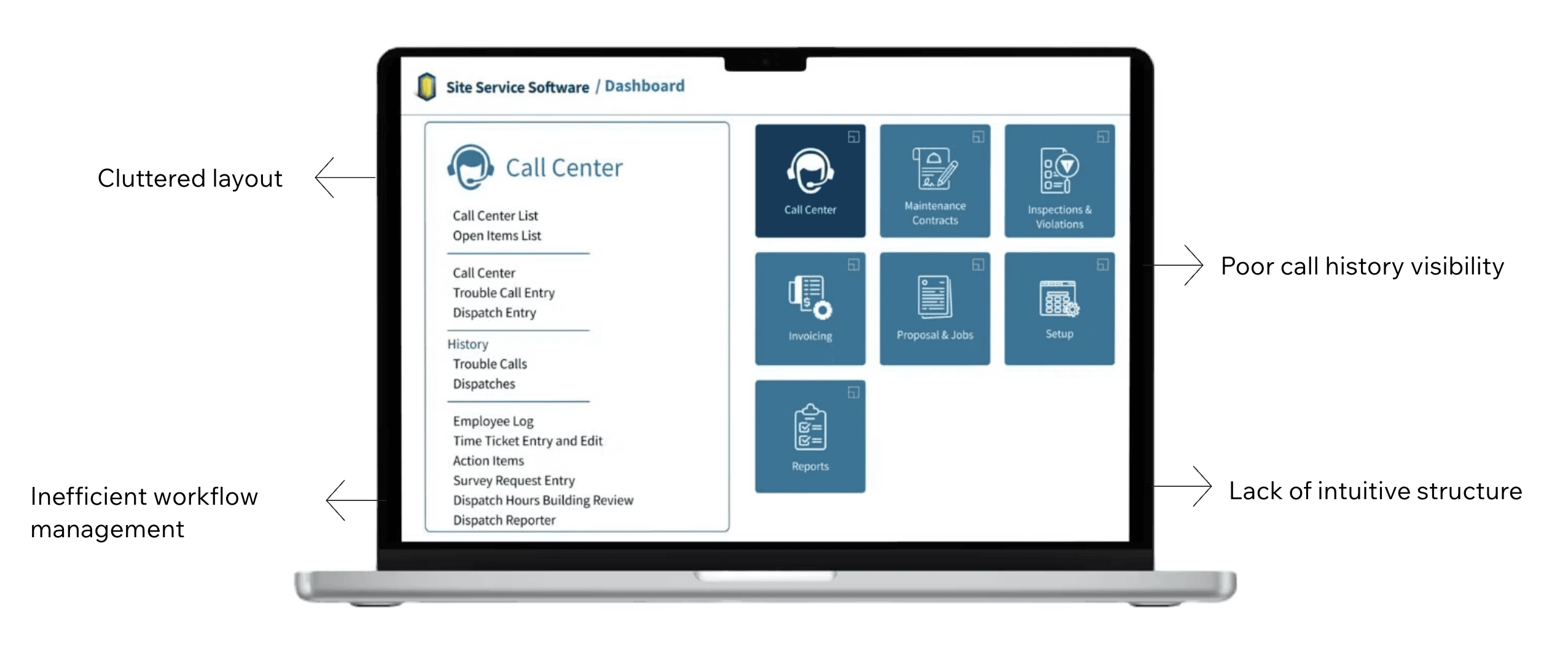
Site Service Software supports building operators and call center agents in handling elevator emergency calls and dispatching help quickly. The existing interface was functional but visually cluttered and difficult to navigate during high-pressure situations. The goal of this redesign was to streamline emergency workflows, reduce cognitive load, improve visibility into call history, and deliver a cleaner UI that supports fast decision-making in real time.
The redesigned interface provides operators with a clearer, calmer workspace during emergencies—making it easier to take action quickly and accurately.
"How might we redesign the call center dashboard to give agents clear visibility of call histories, streamline workflows, and enhance operational efficiency?"
From analysis to high-fidelity designs in 13 weeks, alongside parallel internship tasks and ongoing stakeholder feedback cycles.
Background
High-Reliability Operations Dashboard for Emergency Response
Revamping the Elevator Emergency Call & Dispatch Interface
Timeline
In emergency call scenarios, agents must process multiple types of critical information at once: caller details, building/site context, device status, timestamps, and dispatch actions. Even small delays or unclear layouts can slow response time and increase stress.
I reviewed the existing dashboard and workflows to identify bottlenecks and areas where agents experienced friction during emergency calls. By mapping key tasks involved in call handling, I gained a clearer understanding of how agents navigate information under pressure. This process helped me distinguish which details needed to be surfaced immediately, such as caller information and active incidents, and which could be treated as secondary, informing decisions around hierarchy and layout.
Research & Analysis
Website Analysis
I reorganized the content hierarchy around the agent’s core priorities, understanding who is involved, where the incident is occurring, what the situation is, what needs attention now, and the next action to take, ensuring critical information is immediately visible. I also simplified navigation patterns so agents could move quickly between call details, logs, and dispatch actions, reducing friction and supporting faster decision-making during high-pressure situations.
UX Strategy & Information Architecture
I designed high-fidelity screens in Figma to translate the new workflow into a clear and intuitive interface. To maintain consistency and support future scalability, I developed reusable UI components that could be applied across the system. Throughout the design, I paid close attention to layout and typography to ensure information could be scanned quickly, helping agents process critical details efficiently during emergency situations.
UI Design & Component
System
Throughout the iteration phase, I collaborated closely with stakeholders and developers to validate the feasibility of design decisions and ensure alignment with technical constraints. By incorporating feedback from discussions and reviews, I refined the screens to better support real operational workflows, making sure the interface addressed practical needs and functioned effectively in high-pressure environments.
Iteration & Alignment

Critical call details are surfaced upfront, reducing time spent searching and switching between views.
Streamlined Call Handling
Agents can review previous calls and related entries quickly, supporting faster context building.
Improved Call History
Visibility
Delivered a redesigned system that improves clarity and reduces workflow friction during urgent calls, helping agents quickly understand situations and take action with greater confidence.
Improved Workflow Clarity
Created reusable components and consistent interaction patterns that support future feature expansion and ensure long-term maintainability of the system.
Scalable Design Foundation
Strengthened collaboration by translating complex operational needs into clear, usable UI decisions, enabling smoother communication between designers, developers, and product stakeholders.
Stronger Stakeholder
Alignment
Clear hierarchy, spacing, and grouping help agents focus on the next best action under pressure.
Reduced Cognitive Load
Designed multiple visual modes (Light → Glassmorphism) while maintaining readability and clarity.
Multi-Mode UI Support